



myAir account registration, login & troubleshooting | Resmed UK
What can we help you find?
Search for masks, machines, accessories...

myAir app: registering, setting up and logging into your account, plus troublesh...

CPAP & Therapy Settings Therapy data

Some people find it difficult to get used to CPAP therapy. That’s why the myAir™ app has been designed to help you get off to a positive start and achieve long-term success. It lets you track and monitor your CPAP therapy, sends you handy tailored tips, and shows you a daily sleep score so you can see how you’re doing on therapy.

In this article, you’ll find a helpful list of advice and troubleshooting tips to get you get set up, logged in and on the road to CPAP therapy success with the myAir app!


Downloading the myAir app

How do I download the myAir app?

To download the free myAir app from Resmed simply search “myAir” in the App Store if you have an Apple device, or on Google Play if you have an Android device or click on the links below:

AppStore logoGoogle Play store logo


You can also scan the QR code below using your smartphone camera:

QR code Download myair app

Setting up a new myAir account

How do I create a myAir account?

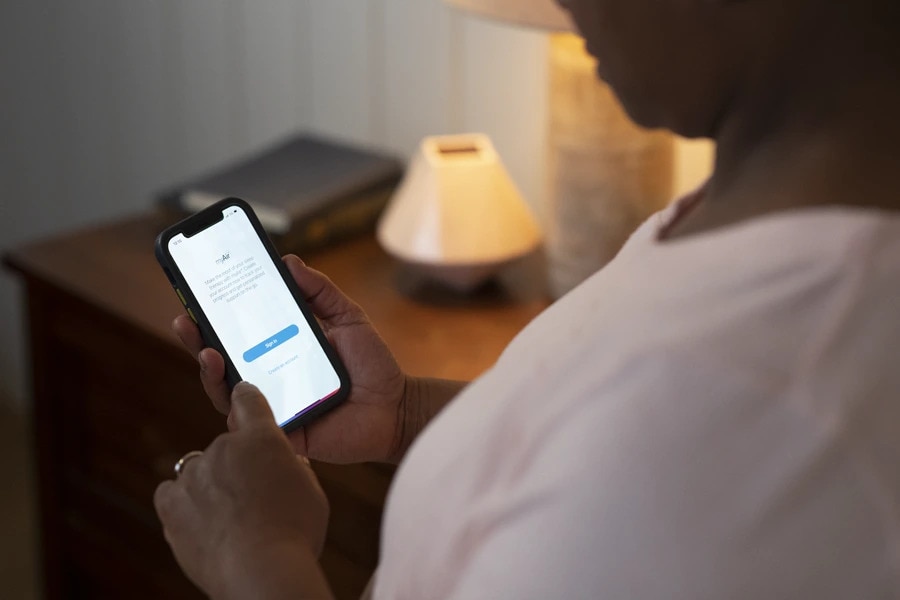
If you already use the myAir programme on your computer, you can use your existing myAir username and password to sign into the myAir app. If you’re a new user, click Create account and fill in the required fields.

I’ve filled out the myAir account registration but haven’t received a confirmation email. What now?

If you haven’t received a myAir confirmation email:

Check your email spam or junk folder
Go back to myAir and register again, checking that your email address is correct

myAir says my CPAP machine is already registered. What should I do?

If your machine is already registered in myAir, it means your machine serial number is already linked to a myAir account.

Please check the serial number on the back of your CPAP machine to ensure you entered it correctly. If the problem persists, please contact myAir support for help. To contact myAir support through the myAir app, please go to Profile (at the right of the bottom menu bar), select Settings, and click on myAir support.

My CPAP machine doesn’t have a 3-digit code. Can I use myAir?

myAir is designed for use with AirSense™ 10 CPAP and AirCurve™ 10 bi-level PAP machines. These devices all have an 11-digit serial number and a 3-digit device number on the back of the machine.

My serial number has only 9 digits. Can I use myAir?

myAir is designed to be used with Resmed CPAP and PAP machines that have an 11-digit serial number and 3-digit code on the back of the device. If you would like to upgrade to a device that is compatible with myAir, please contact your healthcare provider.

Can I use the same email address to set up two CPAP machines on myAir?

No, your myAir account is registered to one email address and supports one CPAP machine.

I’m trying to create a myAir account, but it says I can’t register now. What do I do?

You might see this message if the myAir website, myAir app or associated services are temporarily unavailable. If you see this message, please wait for a few hours and try again.

I can’t register my Resmed CPAP machine in myAir. What should I do?

If you can’t register your CPAP machine, please check that:

You are using a CPAP machine that is compatible with myAir. myAir currently works with AirSense™ 10 or AirCurve™ 10 machines with built-in wireless technology, where a supported wireless network is available.
You entered the correct serial and device numbers from the back of your machine when you set up your myAir account.

Is the myAir app compatible with iOS® or Android™ tablets?

The myAir app is designed to be used on smartphones. It is not compatible with iOS or Android tablets.

Can I use the myAir app with an AirMini™ machine?

No, the myAir app is not compatible with the AirMini device. The AirMini device works with a separate AirMini app, which can be downloaded here.

Can I get myAir app on my computer?

While the myAir app is primarily designed for smartphones, there is a desktop version available as well. This allows you to conveniently use myAir on your computer and access its features and benefits. Whether you prefer using your smartphone or desktop, you can enjoy the functionality of myAir to benefit from tailored tips, track your therapy and monitor your progress.

Login issues (web or app)

Why can’t I sign in to myAir?

You might see an error message if you entered an incorrect username or password, or if the myAir website, app or associated services are temporarily unavailable.

If you see a message that the website or services are temporarily unavailable, please wait for a few hours and try again.

Why isn’t my myAir password working?

You might see an error message if you entered your password incorrectly. Make sure that Caps Lock is not on when you enter your password. If you’re still having trouble, you can reset your myAir password: please see the next question.

I’ve forgotten my password, how do I reset my myAir account?

If you’re using the myAir app, go to the sign-in screen and click Forgot your password? On the myAir website, go to the sign-in screen and click Need help signing in? then select Forgot password?
Enter your email address and click on Reset via email or Send me the link and myAir will send you an email message.
Open the email account that’s linked to your myAir account and look for a new email from myAir. Click the reset link in the email to open the “set password” page on your browser.
Enter a new password.
Enter the new password again.
Click Set password.

Why do I have to enter a one-time password every time I log in to myAir?

To help keep your personal data safe, myAir uses a secure 2-Step Verification (2SV) system. It’s the same approach that’s used for online banking and other secure portals. To access myAir, enter your

login information (step 1), then enter the one-time passcode you’ll receive in your email inbox (step 2).

Note: To switch off the one-time passcode option and log in directly in the future, tick Remember this device.

I have other questions or require additional support with my myAir account. What should I do?

If your myAir app isn’t working properly, if you have other issues with myAir or if you need more help troubleshooting problems, please contact our support team. They are trained to provide effective support and are ready to help. You can contact them directly at myAir support or through the myAir app (go to Profile at the right of the bottom menu bar, select Settings, and click on myAir support).

Do you have any other resources to help me with my CPAP sleep therapy?

myAir is a convenient way to access tailored support, accurate sleep data and ongoing encouragement with your CPAP therapy. If you don’t want to use myAir or you would like to understand your CPAP therapy and equipment in other ways, check out our sleep blog for relevant articles and information. For example, you might appreciate our posts on mask leak, enhancing your comfort with a CPAP mask that suits your needs, or connecting a humidifier to your CPAP machine.

To learn more about how myAir could help you succeed with sleep therapy, click here.

Please refer to myAir support for relevant information related to any warnings and precautions to be considered before and during use of the product. This blog post contains general information about medical conditions and treatments. It is not intended to be a substitute for professional medical advice, diagnosis or treatment. The information is not advice and should not be treated as such. You must not rely on the information on this website as an alternative to medical advice from your doctor or other professional healthcare provider.

If you have any specific questions about any medical matter, you should consult your doctor or other professional healthcare provider. If you think you may be suffering from any medical condition, you should seek immediate medical attention. You should never delay seeking medical advice, disregard medical advice, or discontinue medical treatment because of information on this website. The views expressed on this blog and website have no relation to those of any academic, hospital, practice, or other institution with which the authors are affiliated and do not directly reflect the views of Resmed or any of its subsidiaries or affiliates.