


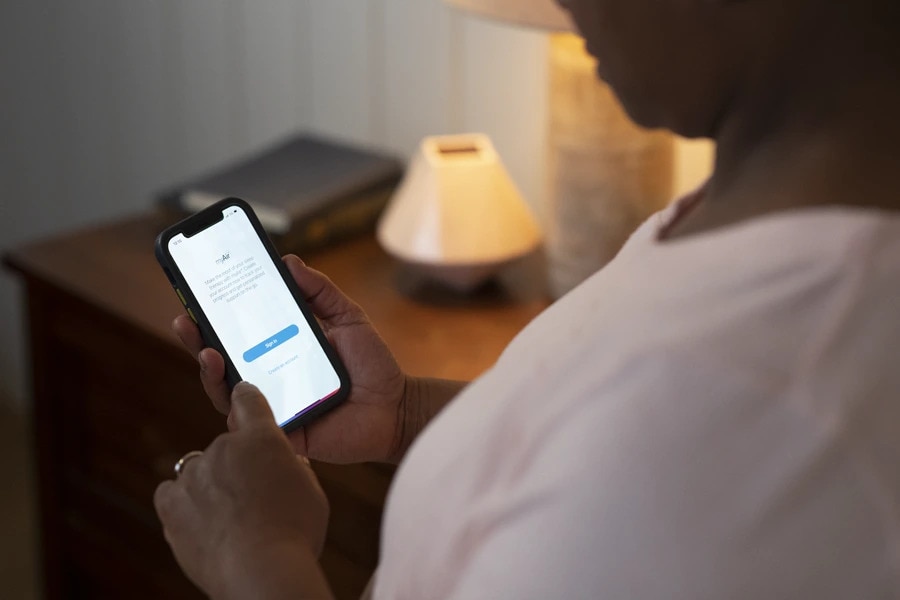


Enhance your therapy experience with myAir™ app
Meet your personal sleep companion
Already a user? Access resource section
1
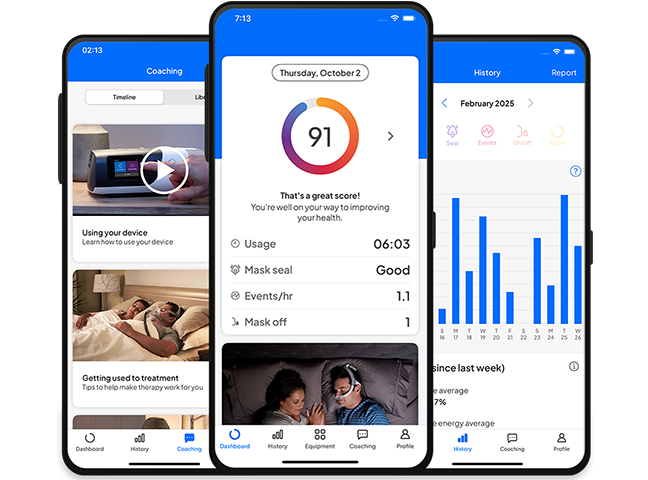
The myAir™ app makes it easier to stay on track with your sleep apnoea therapy1. It offers personalised coaching to help you build a routine that lasts, and gives you a daily sleep score so you can see your progress and address any issues early.
2
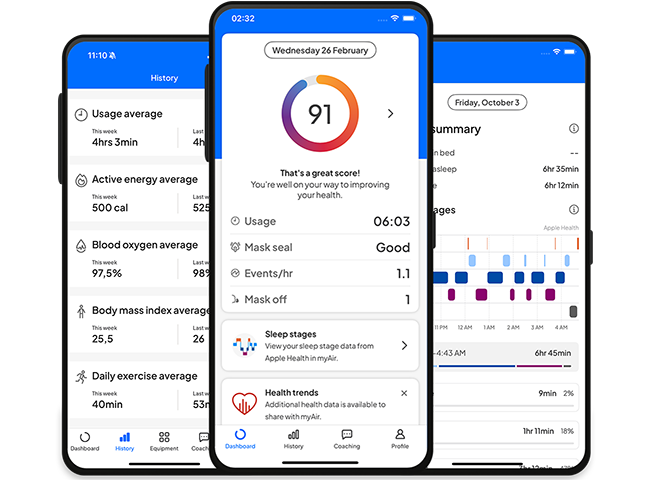
Get a fuller picture of how your therapy impacts your overall wellbeing by connecting your health app data to myAir. You can share details like steps taken, weight, and active energy, and easily view your trends all in one place.
3
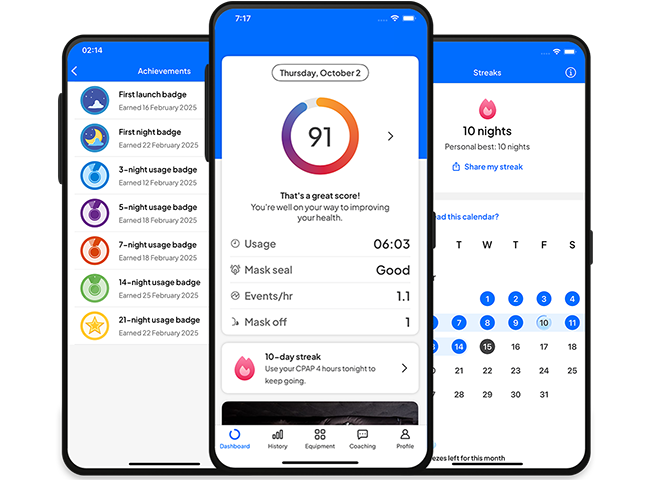
Stay motivated with challenges, earn achievement badges, and track your progress tracking — all designed to help you get into the habit of using your PAP therapy for at least 4 hours every night. Once you’ve established a successful PAP routine, you’ll start noticing benefits in your daily life, like more energy, a better mood, and improved health.
4
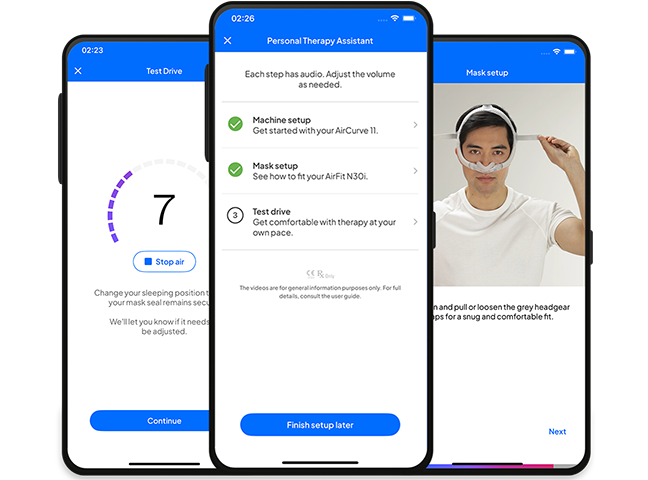
Build your confidence with myAir2. It helps you track your progress and keeps you motivated with coaching and encouragement. Plus, with Personal Therapy Assistant, you can access step-by-step videos whenever you need guidance*
The right support at the right time,
with Care Check-In
Available only with Air11 devices
Care Check-In asks simple questions during your first weeks of therapy to understand how you’re doing. It gives you quick, personalised tips to solve small issues on your own and alerts your healthcare team* if you need extra support.
*Your healthcare team can view your Care Check-In responses through AirView, Resmed’s patient management platform.
New features
The myAir app keeps evolving to support you better.
From new sleep insights to smartwatch compatibility, we’re continuously adding features designed to help you get more from your therapy and your sleep.
myAir FAQs
Monitoring your sleep therapy at home can make it easier for you to stay motivated and on track with treatment. myAir has been designed to allow you to track your therapy every night, giving you results that tell you how well you’re doing and feedback to help you improve. myAir can also help you to solve minor issues you may have with your PAP mask.
myAir is a sleep therapy support app that enables you to track your sleep therapy with your AirSense machine*. myAir also helps you to understand your progress, learn how to use your mask and device properly, and troubleshoot common issues independently.
You can use your myAir app to see:
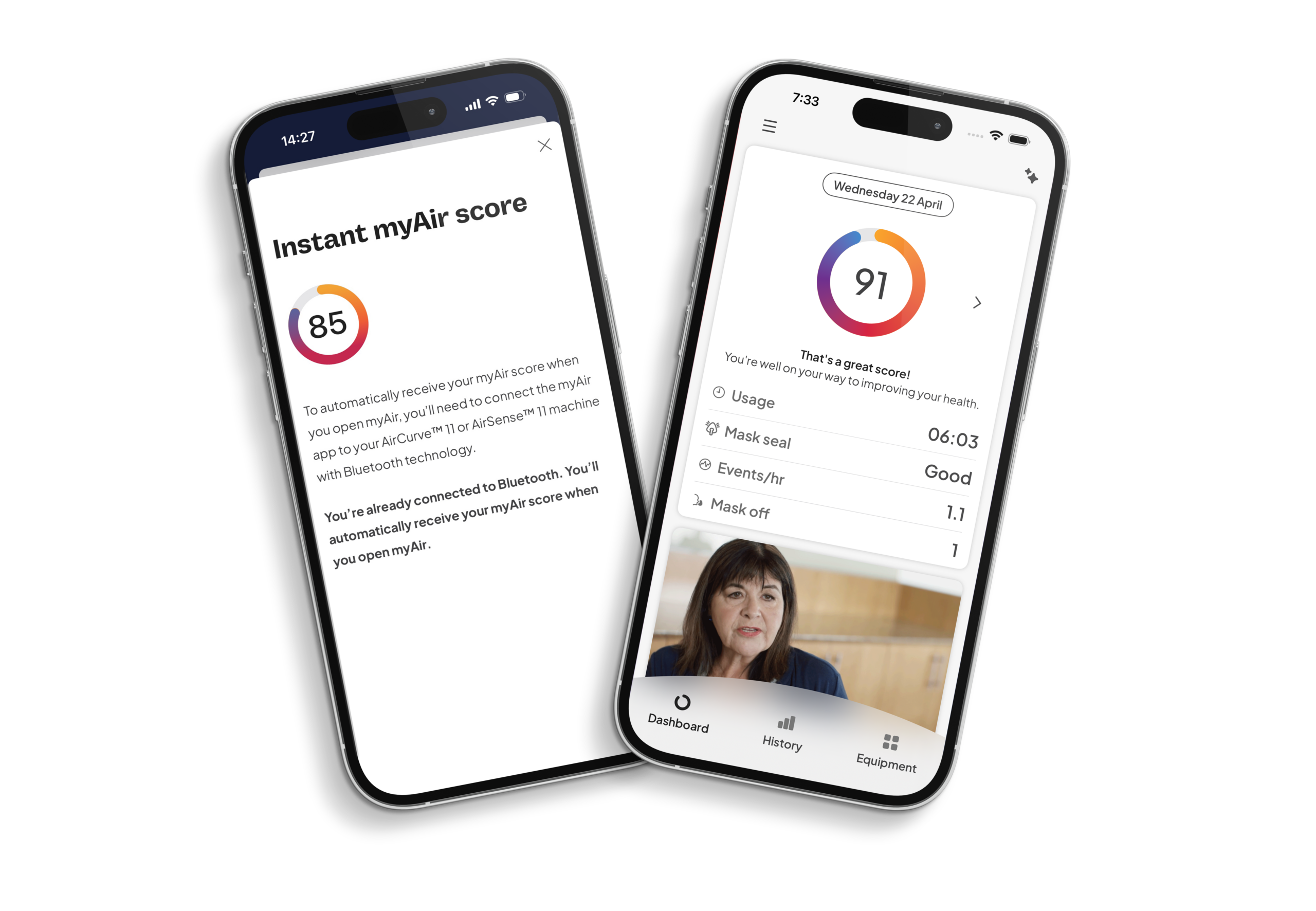
- Your myAir score, which is a daily snapshot of your therapy results
- Tailored coaching advice and support
- Videos, tips and how-to instructions to answer common questions
- Encouragement to help you stay engaged and build your confidence
- Therapy results showing your progress for the past 30/90/365 days
For a more interactive coaching and support experience, AirSense 11 users benefit from advanced features like Personal Therapy Assistant (PTA), Test Drive and Care Check-In.
Personal Therapy Assistant includes interactive features that are designed to help you start therapy with ease and confidence. PTA is exclusive to AirSense 11 users. It offers interactive, voice-guided video instructions to help you set up your equipment at home and troubleshoot common issues. It also provides access to the Test Drive therapy acclimatisation tool, which helps you to gradually test different levels of pressure, check your mask seal and learn how to improve your mask fit if necessary.
Care Check-In is a simple but effective system that lets your care team know if you’re struggling, if you need some extra help to establish a positive PAP routine, or if you’re already feeling the benefits of therapy. Your Care Check-In feedback appears alongside your therapy data in the AirViewTM patient telemonitoring system. This means your care team can see at a glance if you need assistance and gives them a head start when it comes to finding a solution for you.
The myAir mobile app can be downloaded from the App Store® and Google Play™.**
- iPhone®: Download the myAir app in the App Store®
- Android™ phones: Download the myAir app on Google Play™
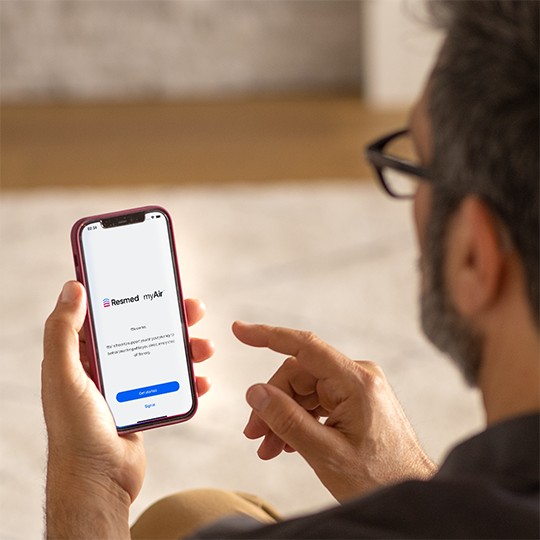
You can register for myAir by downloading the app to your Apple® iPhone® from the App Store® or to your compatible Android™ smartphone from Google Play™.
Your myAir score tells you how well you slept during your last therapy session: the higher your score, the better you slept. The score is a number between 0 and 100 that’s calculated using your nightly therapy data across four categories:
- Usage hours
- Mask seal
- Events per hour
- Mask on/off events
Your data is usually available in myAir shortly after you finish a therapy session. If you recently finished a session and your data is not yet available, please check back later. Please note that to use myAir, you need to have access to the data network in order to transmit and receive data. Your therapy device must be plugged into a power source and must not be in Airplane Mode.
If you need help with myAir, please visit the myAir Support page in your myAir app. It has lots of information about using myAir, including FAQs on account, password, data and more.
Keep exploring
Starting your CPAP therapy at home
Choosing the right CPAP mask
When should I replace my CPAP equipment?
Please refer to myAir support for relevant information related to any contraindications, warnings and precautions to be considered before and during use of the product.
References:
*myAir is compatible with Resmed AirSense 10 and 11 devices and AirCurve 10 and 11 devices with built-in wireless connectivity. myAir is not available in all countries. Some features of myAir are only available in the myAir app. Some features of the myAir app are exclusive to AirSense 11 device users.
**Care Check-In is available on the myAir app if you use Bluetooth to connect the app to your AirSense 11 device.
***Android and Google Play are trademarks of Google, Inc., registered in the U.S. and other countries. Apple, App Store and iPhone are trademarks of Apple Inc., registered in the U.S. and other countries.
- Price Waterhouse Coopers. Empowering the sleep apnoea patient. A Resmed-sponsored study of how myAir users behave better. 2016.
- ResMed Air11 survey of 146 patients, conducted from 28 June to 29 July 2021. Q10: 63% of patients said that PTA gave them confidence to set up their PAP machine correctly, N=49 respondents. Data on file; ID A5043180.
- Of the patients that responded to questions about how Personal Therapy Assistance improved their confidence to use PAP therapy, 94% of patients reported that this feature made them feel more confident in using PAP therapy. (Claim ID 104)
- 90% of myAir Test Drive users who experience leak are able to self-resolve their leak issue (Claim ID 68) CPL Data Analytics for Claims (internal ref.33)
Content last updated: 07/2026.